
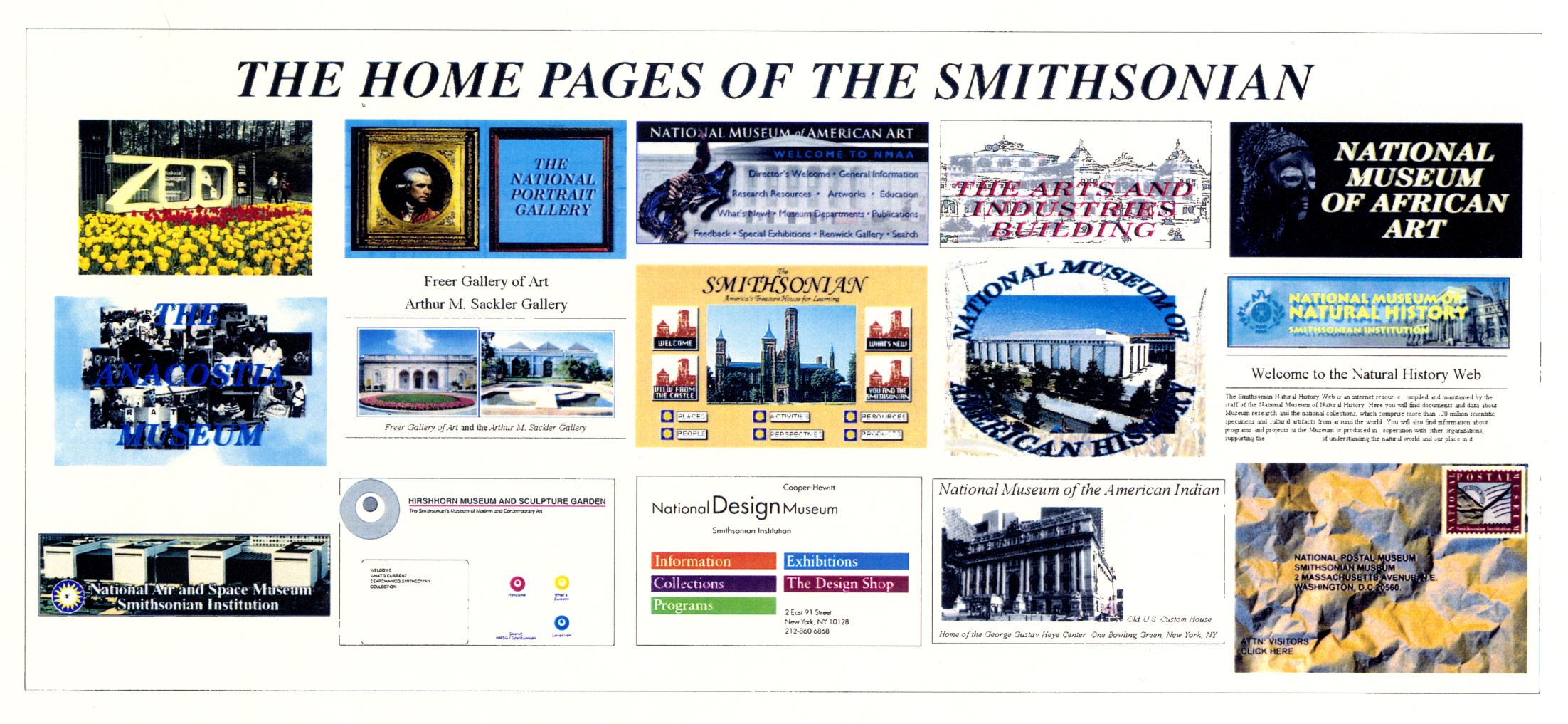
What Is a Web Archive?
A web archive is a collection of preserved web pages and other online materials saved so people can view or study them later. Because websites are frequently updated, moved, or removed, archiving helps keep a record of how the web has changed over time.
How Web Archiving Works
Web archiving usually involves capturing a website’s content at a particular moment. An archive may save text, images, stylesheets, documents, and other files, along with information about when and how the material was collected. Some archives capture entire sites, while others preserve selected pages or collections.
Archived pages are not always exact copies of the original experience. Interactive features, videos, embedded content, and pages that require a login may not be captured completely. Links may also lead to archived versions of other pages—or to websites that are no longer available.
Why Archive the Web?
Web archives help preserve information that might otherwise disappear. Researchers can use them to study changes in public conversation, design, news coverage, and online culture. Journalists may consult archived pages to check what a site said in the past, while educators and students can use them to explore historical sources.
Archives can also support organizations and individuals who need to maintain records of their online work. Preserved pages may help document a project, publication, or public statement, though an archived copy should not automatically be treated as proof that every detail is complete or authentic.
Finding Archived Websites
Many web archives provide search tools that let visitors look up a website address and browse available captures by date. Searching by a specific page URL is often more effective than searching by a broad topic. If the page is missing, try a different address format, such as including or removing “www,” or search for related pages from the same site.
Web archives vary in what they collect, how often they capture pages, and how long their records remain available. A page that is absent from one archive may be preserved by another, a library, or an organization that maintains its own digital collection.
Understanding the Limitations
A web archive is a snapshot, not necessarily a complete record of a website. Captures may omit files, fail to preserve dynamic content, or show broken links. The date displayed by an archive generally indicates when a page was captured—not necessarily when its content was first published or last updated.
Access may also be limited by copyright, privacy concerns, or the preferences of site owners. Before reusing archived material, check its source and rights information. When citing an archived page, include the original URL, the archive’s URL, and the capture date when available.
Preserving Today’s Web
Web archiving depends on ongoing work by libraries, cultural organizations, researchers, website owners, and the public. If a page matters, consider saving a copy through a reputable archiving service or asking a library or organization about its preservation options. Keeping useful records today can help future readers understand the web of the past.
From historical research to everyday fact-checking, web archives offer a valuable way to revisit online information. They cannot preserve everything, but they help ensure that parts of our digital history remain accessible after the original pages change or disappear.
5 Essential Tips for Navigating and Utilizing Web Archives
- Use the Wayback Machine to view older versions of websites.
- Save important pages before they disappear.
- Check archived dates to confirm when a page was captured.
- Compare snapshots to track changes over time.
- Respect copyright when reusing archived content.
Use the Wayback Machine to view older versions of websites.
Use the Wayback Machine to explore older versions of websites and see how their content, design, and features have changed over time. Enter a site’s URL to view available snapshots by date, then choose a capture to revisit the page as it appeared then. Keep in mind that some images, links, or interactive elements may not have been preserved.
Save important pages before they disappear.
Save important web pages before they disappear, change, or become difficult to access. Websites can be updated or taken offline without notice, so creating an archived copy helps preserve the information for later reference. When you save a page, include its URL and the date you captured it, and remember that interactive features or embedded media may not be preserved completely.
Check archived dates to confirm when a page was captured.
Check the archived dates to confirm when a page was captured. An archived page is a snapshot of a website at a particular moment, and its capture date can help you understand whether the information reflects the period you’re researching. Keep in mind that the capture date shows when the archive saved the page—not necessarily when the page was first published or last updated.
Compare snapshots to track changes over time.
Compare archived snapshots of a web page to see how its content, design, and links have changed over time. Looking at captures from different dates can reveal when information was added, revised, or removed, helping you understand the page’s history and cite changes more accurately. Keep in mind that snapshots may be incomplete, so compare several dates when available.
Respect copyright when reusing archived content.
When reusing content from a web archive, remember that archiving does not remove copyright protections. Before copying, republishing, or adapting archived text, images, videos, or other materials, check the rights information and the original source’s terms. When permission is required, obtain it from the rights holder, and provide clear attribution when appropriate. If the copyright status is unclear, seek guidance or choose material that is openly licensed or in the public domain.
