
Exploring Website Archive Software: Preserving Digital History
In the fast-paced digital age we live in, websites are constantly evolving, content is updated, and pages are deleted. But what happens to all that valuable online information when it disappears from the web? This is where website archive software comes into play.
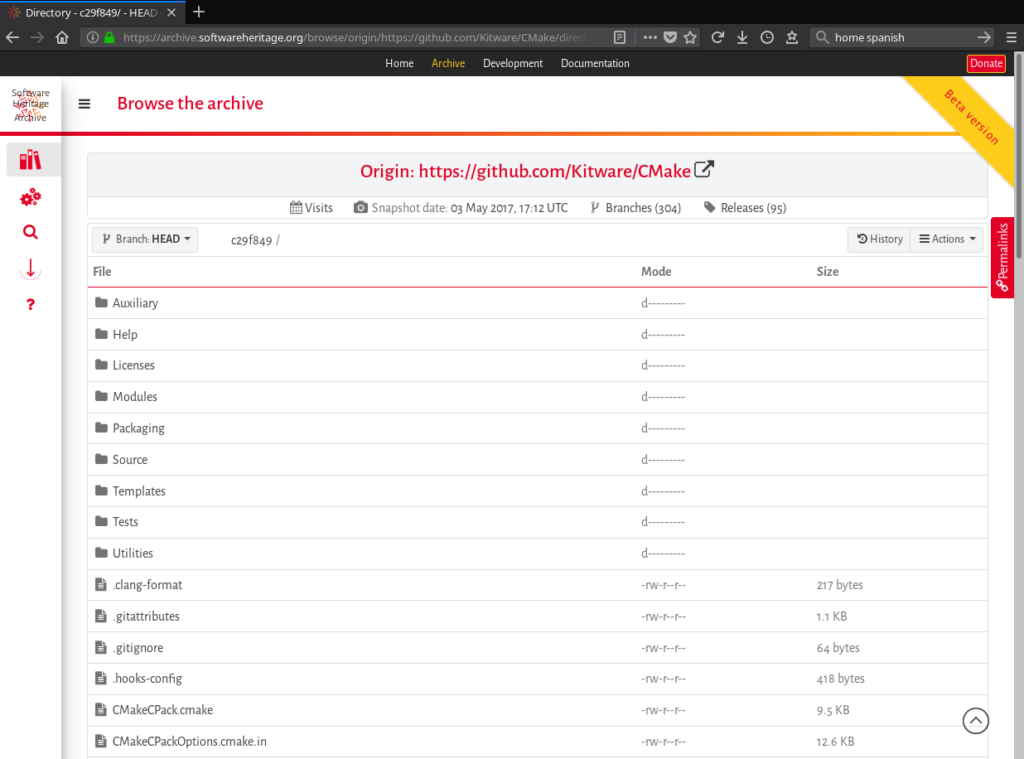
Website archive software is a powerful tool that allows users to capture and preserve web content for future reference. By creating snapshots of websites at specific points in time, this software ensures that valuable online resources are saved and accessible even after they have been removed or altered.
One of the key features of website archive software is its ability to crawl and download entire websites, including text, images, videos, and other multimedia content. This comprehensive archiving process captures not just the visual appearance of a site but also its underlying code and structure.
Archiving websites serves multiple purposes. It helps researchers and historians access historical web content for analysis and study. It also provides a way to track changes in online information over time, making it a valuable tool for monitoring trends and preserving digital heritage.
Moreover, website archive software can be used for legal compliance purposes, such as preserving evidence of online transactions or maintaining records of regulatory compliance. In cases where websites need to be restored due to data loss or cyber attacks, archived versions can serve as backups.
There are various website archive software options available on the market, each offering different features and capabilities. Some popular tools include HTTrack, Webrecorder, Archive-It, and Wayback Machine. These tools cater to different user needs, from individual archiving projects to large-scale institutional preservation efforts.
As we continue to rely more on digital resources for information and communication, the importance of preserving our online history becomes increasingly evident. Website archive software plays a crucial role in safeguarding our digital heritage for future generations to explore and learn from.
Whether you are a researcher looking to delve into past web content or a website owner seeking to protect your online presence, investing in website archive software can help ensure that valuable online resources are not lost to the sands of time.
Top 6 FAQs About Website Archiving Software: Legalities, Methods, and Alternatives
- Is website archiving legal?
- How do I completely archive a website?
- What software is used to archive websites?
- Is there a better site than Wayback Machine?
- How to view websites that no longer exist?
- What is the best way to archive a website?
Is website archiving legal?
The legality of website archiving is a common concern among individuals and organizations seeking to preserve online content. In general, website archiving for personal use or research purposes is typically considered legal, as long as the archived content is not used in a way that infringes on copyright or violates any terms of service. However, it is important to be aware of the laws and regulations governing web content in your jurisdiction, as well as any specific guidelines set forth by website owners regarding data collection and use. Consulting legal experts or reviewing relevant policies can help ensure that your website archiving activities comply with applicable laws and ethical standards.
How do I completely archive a website?
Archiving a website completely involves capturing not just the visual elements but also the underlying code, structure, and multimedia content to ensure a comprehensive snapshot of the site at a specific point in time. To achieve this, users can utilize website archive software that allows for crawling and downloading of all pages, images, videos, scripts, and other assets associated with the website. By following the archiving process meticulously and ensuring that all components are captured accurately, users can create a thorough archive of a website, preserving its content for future reference and access.
What software is used to archive websites?
When it comes to archiving websites, a variety of software tools are commonly used to capture and preserve online content. Some popular choices include HTTrack, Webrecorder, Archive-It, and Wayback Machine. These software solutions offer different features and functionalities to cater to a range of archiving needs. HTTrack allows users to download entire websites for offline browsing, while Webrecorder specializes in creating high-fidelity web archives. Archive-It is a web archiving service that helps institutions preserve digital content, and Wayback Machine is a well-known internet archive that stores historical versions of web pages. Each of these software options plays a vital role in the preservation of online information for future reference and research purposes.
Is there a better site than Wayback Machine?
When it comes to website archive software, the question of whether there is a better site than Wayback Machine often arises. While Wayback Machine is a widely recognized and extensively used tool for accessing archived web content, there are other website archive software options available that offer different features and functionalities. Some users may find that alternative tools better suit their specific needs, whether it be in terms of archiving capabilities, user interface, or search functionality. Exploring different website archive software options beyond Wayback Machine can provide users with a more tailored archiving experience based on their individual requirements and preferences.
How to view websites that no longer exist?
One common question that arises when discussing website archive software is how to view websites that no longer exist. Website archive software offers a solution to this dilemma by allowing users to access archived versions of websites that have been taken down or altered. By utilizing these archived snapshots, individuals can revisit past web content, retrieve valuable information, and explore the evolution of online resources over time. This feature not only enables users to view websites that are no longer accessible but also serves as a valuable tool for research, historical preservation, and digital heritage conservation.
What is the best way to archive a website?
When it comes to archiving a website, the best way to ensure comprehensive preservation is by using dedicated website archive software. These tools are specifically designed to capture and store entire websites, including their content, structure, and functionality. By utilizing website archive software, users can create accurate snapshots of websites at specific points in time, ensuring that all aspects of the site are preserved for future reference. This method not only captures the visual appearance of a website but also retains its underlying code and multimedia elements, providing a thorough archive that accurately reflects the original online content.
