
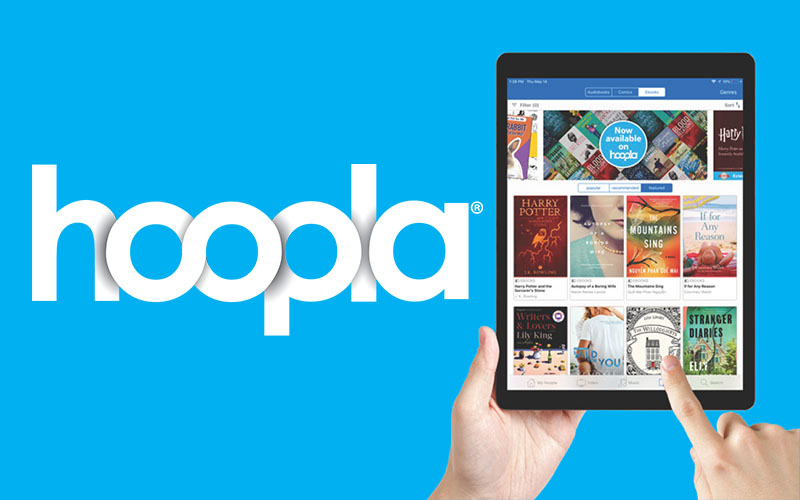
The Ultimate Guide to Using Kindle Fire with Hoopla
If you’re a proud owner of a Kindle Fire tablet and love reading e-books, listening to audiobooks, and watching movies or TV shows, then you’re in for a treat with Hoopla. Hoopla is a digital media service that allows you to borrow digital content like e-books, audiobooks, music, movies, and TV shows from your local library for free. And the good news is that it’s compatible with your Kindle Fire device!
How to Get Started with Hoopla on Your Kindle Fire
Getting started with Hoopla on your Kindle Fire is easy. Here’s a step-by-step guide:
- Download the Hoopla app from the Amazon Appstore on your Kindle Fire.
- Open the Hoopla app and sign in using your library card information.
- Browse through the vast collection of e-books, audiobooks, music, movies, and TV shows available on Hoopla.
- Select the content you want to borrow and enjoy it right on your Kindle Fire tablet.
Benefits of Using Hoopla on Your Kindle Fire
Using Hoopla on your Kindle Fire offers several benefits:
- Convenience: Borrow and enjoy digital content anytime, anywhere without having to visit a physical library.
- Variety: Access a wide range of e-books, audiobooks, music, movies, and TV shows across different genres.
- No Late Fees: Since digital content automatically returns at the end of the borrowing period, you won’t incur any late fees.
- Synchronization: Sync your borrowed content across multiple devices to continue where you left off.
In Conclusion
Hoopla opens up a world of entertainment and knowledge right at your fingertips through your Kindle Fire tablet. Whether you’re into reading books or binge-watching TV shows, Hoopla has something for everyone. So why not make the most of this fantastic service today?
Top 6 FAQs About Using Hoopla on Your Kindle Fire
- How do I download the Hoopla app on my Kindle Fire?
- Can I borrow e-books and audiobooks from Hoopla for free?
- Is Hoopla compatible with all Kindle Fire devices?
- How many items can I borrow at a time from Hoopla on my Kindle Fire?
- Are there late fees for returning digital content borrowed from Hoopla on my Kindle Fire?
- Can I access movies and TV shows on Hoopla using my Kindle Fire?
How do I download the Hoopla app on my Kindle Fire?
To download the Hoopla app on your Kindle Fire, simply follow these easy steps. First, open the Amazon Appstore on your Kindle Fire device. Then, use the search bar to look for the Hoopla app. Once you find it, click on the “Download” or “Install” button to initiate the download process. After the app is successfully downloaded and installed, you can open it and sign in using your library card information to start borrowing and enjoying a wide range of digital content available on Hoopla. It’s that simple!
Can I borrow e-books and audiobooks from Hoopla for free?
Yes, you can borrow e-books and audiobooks from Hoopla for free! Hoopla offers a wide selection of digital content, including e-books and audiobooks, that you can borrow using your library card at no cost. With Hoopla, you have access to a vast library of titles across various genres that you can enjoy on your Kindle Fire tablet without any subscription fees or hidden charges. Simply download the Hoopla app, sign in with your library card information, and start exploring the world of free e-books and audiobooks available for borrowing.
Is Hoopla compatible with all Kindle Fire devices?
One frequently asked question regarding Hoopla is whether it is compatible with all Kindle Fire devices. The answer is yes, Hoopla is compatible with most Kindle Fire devices, allowing users to access and enjoy a wide range of digital content such as e-books, audiobooks, music, movies, and TV shows. Whether you have an older model or the latest version of the Kindle Fire tablet, you can easily download the Hoopla app from the Amazon Appstore and start borrowing and enjoying digital media from your local library right on your device.
How many items can I borrow at a time from Hoopla on my Kindle Fire?
When using Hoopla on your Kindle Fire, you may wonder how many items you can borrow at a time. The great news is that Hoopla typically allows users to borrow a set number of items per month from their local library, depending on the library’s specific policy. This means that you can enjoy a variety of e-books, audiobooks, music, movies, and TV shows on your Kindle Fire without exceeding the borrowing limit. Be sure to check with your library or within the Hoopla app for the exact number of items you can borrow simultaneously to make the most out of your digital media experience.
Are there late fees for returning digital content borrowed from Hoopla on my Kindle Fire?
No, there are no late fees for returning digital content borrowed from Hoopla on your Kindle Fire. One of the convenient features of using Hoopla is that borrowed digital content automatically returns at the end of the borrowing period, eliminating the worry of incurring late fees. This user-friendly approach allows you to enjoy your e-books, audiobooks, music, movies, and TV shows without any additional charges or penalties for keeping them beyond the borrowing period.
Can I access movies and TV shows on Hoopla using my Kindle Fire?
Yes, you can access movies and TV shows on Hoopla using your Kindle Fire. Hoopla offers a diverse selection of digital content, including a wide range of movies and TV shows that you can stream directly on your Kindle Fire device. Simply download the Hoopla app from the Amazon Appstore, sign in with your library card information, and start browsing through the available movies and TV shows to enjoy them on your Kindle Fire screen. With Hoopla, entertainment is just a few taps away on your Kindle Fire tablet.
